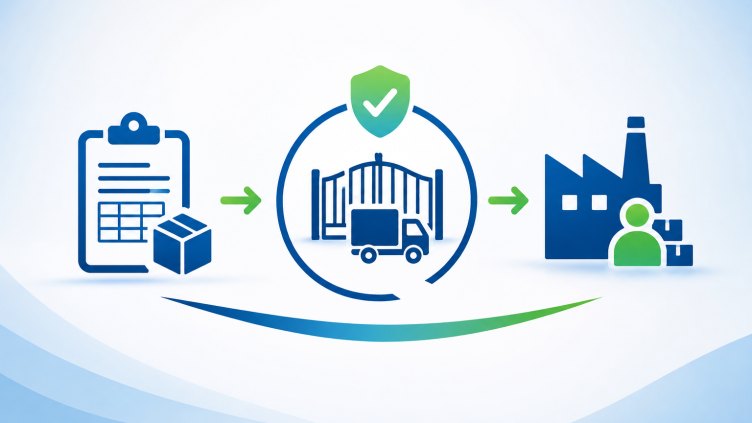
In manufacturing, sending material outside the factory is not just a stock movement.
It is a business transaction with accountability.
Material may go to a vendor for job work, processing, finishing, repair, subcontracting or another external activity.
The moment that material leaves the premises, the system should know: What was sent? To whom? Why? How much? Under which reference? Through which Gate Pass? What came back? What was consumed? What is still outside?
That is why we designed the Material Issue to Vendor → Gate Pass flow as one connected process.
The workflow
1. Select Vendor / Contractor
Start with the party receiving the material. The system captures the vendor/contractor against the transaction instead of relying on disconnected text entries.
2. Select the Purpose
- Job Work
- Processing
- Finishing
- Repair
- Subcontracting
- Returnable Material
The purpose establishes why the material is leaving the factory.
3. Create Material Issue
Select the required materials and enter:
- Item
- Quantity
- UOM
- Warehouse / Bin
- Reference
- Rate / Value where applicable
- Remarks
- Expected Return Date where applicable
The system validates the quantity against available stock.
4. Gate Pass is Mandatory
This is the important part.
The material should not simply become an outward movement and disappear from the operational trail.
The Gate Pass is generated and linked to the Material Issue. So the physical movement has a document trail: Material Issue → Gate Pass → Vendor
The Gate Pass carries the information required by security and operations.
5. Gate Pass Approval
The movement follows the required approval/status process before the material physically leaves the premises. Security doesn't have to search through multiple screens to understand why the material is going out.
6. Material Leaves the Factory
The outward movement is recorded. Now the business knows exactly what material is outside the factory and with whom.
7. Track the Return
For returnable/job-work material, the story doesn't end at dispatch. The system can track: Issued → Returned → Consumed → Damaged → Remaining Outside
For example: 100 units issued — 60 returned, 35 consumed, 5 damaged, 0 remaining outside. Everything reconciles.
8. Close the Material Issue
Once the material is fully reconciled, the transaction can be closed. And the complete history remains connected.
Why this matters
A traditional ERP may treat these as separate screens: Material Issue, Gate Pass, Vendor Return, Stock.
But the factory doesn't work in separate screens.
The warehouse person issues the material. The security team checks the Gate Pass. The vendor receives it. The production/QC team tracks the work. The warehouse receives the return. Finance and management eventually need to understand the complete movement.
The system should connect that story automatically.
That's the thinking behind CXSuite. Not just recording that material moved. Connecting the movement, the document, the vendor, the gate, the return and the complete traceability.
And this is only one workflow inside a much larger manufacturing operating system covering procurement, production, WIP, quality, inventory, warehouse, logistics, export and finance.
CXSuite — built around how manufacturing actually works.
Originally published on LinkedIn: https://www.linkedin.com/pulse/material-issue-vendor-why-gate-pass-shouldnt-afterthought-fistreet-9f6gc/